> For the complete documentation index, see [llms.txt](https://help.givechariot.com/llms.txt). Markdown versions of documentation pages are available by appending `.md` to page URLs; this page is available as [Markdown](https://help.givechariot.com/disbursements/for-grantmakers/search-nonprofits.md).
# Search Nonprofits
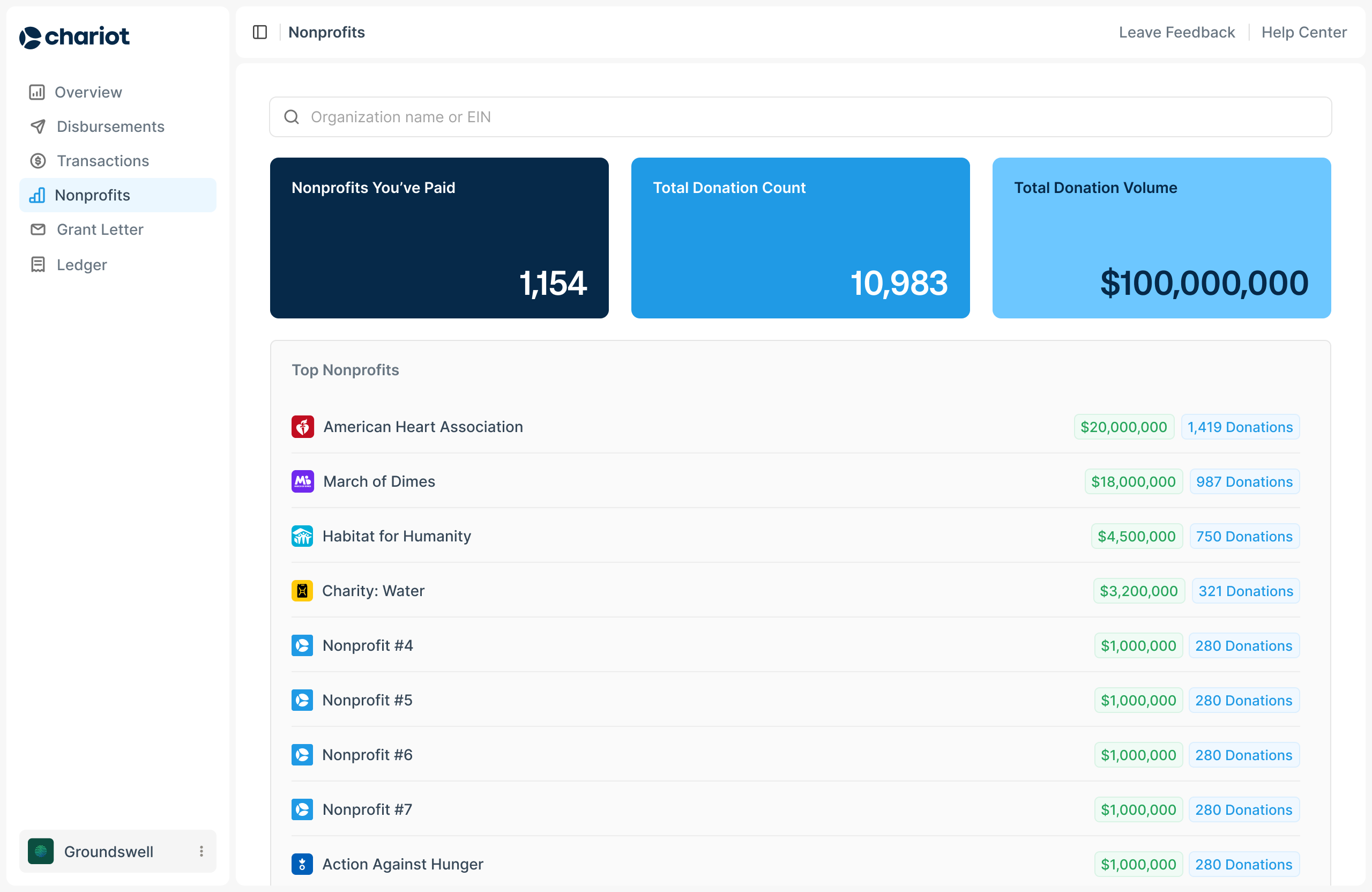
The **Nonprofits** tab gives your team a centralized view of the organizations in Chariot's network. Use it to research a nonprofit before creating a disbursement, review eligibility and account status, provide better recipient information, and understand your grantmaking history.
***
### Search for a nonprofit
1. Open **Nonprofits** in the Chariot dashboard.
2. Search by nonprofit name or EIN.
3. Select the organization to open its nonprofit profile.
Searching by EIN is the most precise way to identify an organization when multiple nonprofits have similar names.
***
### Review nonprofit eligibility
The nonprofit profile shows whether the organization is currently eligible to receive a Chariot disbursement and the eligibility information Chariot has on file.
Chariot's review may include:
* IRS Publication 78 status
* Section 501(c)(3) or other applicable tax eligibility
* IRS good standing and revocation status
* Foundation and exemption classification codes
* Secretary of State records, when applicable
* Office of Foreign Assets Control and other sanctions screening
* Other compliance and risk criteria required by Chariot and its financial partners
{% hint style="info" %}
Eligibility can change. The nonprofit profile is useful for research, but Chariot reruns the relevant checks when a new disbursement is created.
{% endhint %}
If an organization is ineligible or does not appear in search results, see [Eligibility and Requests](/disbursements/for-grantmakers/eligibility-and-requests.md)
***
### Check whether the nonprofit has claimed its account
The nonprofit profile shows whether the organization has claimed its Chariot account.
* A nonprofit with a claimed account can receive eligible disbursements electronically into its Chariot Deposit Account.
* A nonprofit without a claimed account will enter Chariot's account-claim outreach process. If it does not claim the account within the claim window, Chariot sends a check.
***
### Review organization details
Depending on the information available, the nonprofit profile may include:
* Legal and display name
* EIN
* Eligibility details
* Claimed-account status
* Mailing address
* Website
* Contact information
* Other organization information Chariot has on file
***
### View your nonprofit network
At the portfolio level, the **Nonprofits** tab shows the organizations your grantmaker has supported and summary information such as:
* Total amount disbursed
* Total number of disbursements
* Electronic disbursement volume
* Electronic disbursement count
* Percentage of volume delivered electronically
* Percentage of disbursements delivered electronically
Use these metrics to understand how much of your grantmaking is moving electronically and where check delivery is still required.
---
# Agent Instructions
This documentation is published with GitBook. GitBook is the documentation platform designed so that both humans and AI agents can read, navigate, and reason over technical content effectively. Learn more at gitbook.com.
## Querying This Documentation
If you need additional information that is not directly available in this page, you can query the documentation by asking a question.
Perform an HTTP GET request on the following URL with the `ask` and `goal` query parameters:
```
GET https://help.givechariot.com/disbursements/for-grantmakers/search-nonprofits.md?ask=&goal=
```
`ask` is the immediate question: it should be specific, self-contained, and written in natural language.
`goal` is what the user is ultimately trying to achieve, the reason they need the answer. Sharing it helps GitBook give you a better, more relevant answer. A goal is most helpful when it describes the outcome the user wants rather than restating the question. For example, with `ask=how do I create an API token`, a goal like `automate deployments from our CI pipeline` lets GitBook tailor the answer to that use case.
The response will contain a direct answer to the question and relevant excerpts and sources from the documentation.
Use this mechanism when the answer is not explicitly present in the current page, you need clarification or additional context, or you want to retrieve related documentation sections.