# DAFpay Billing
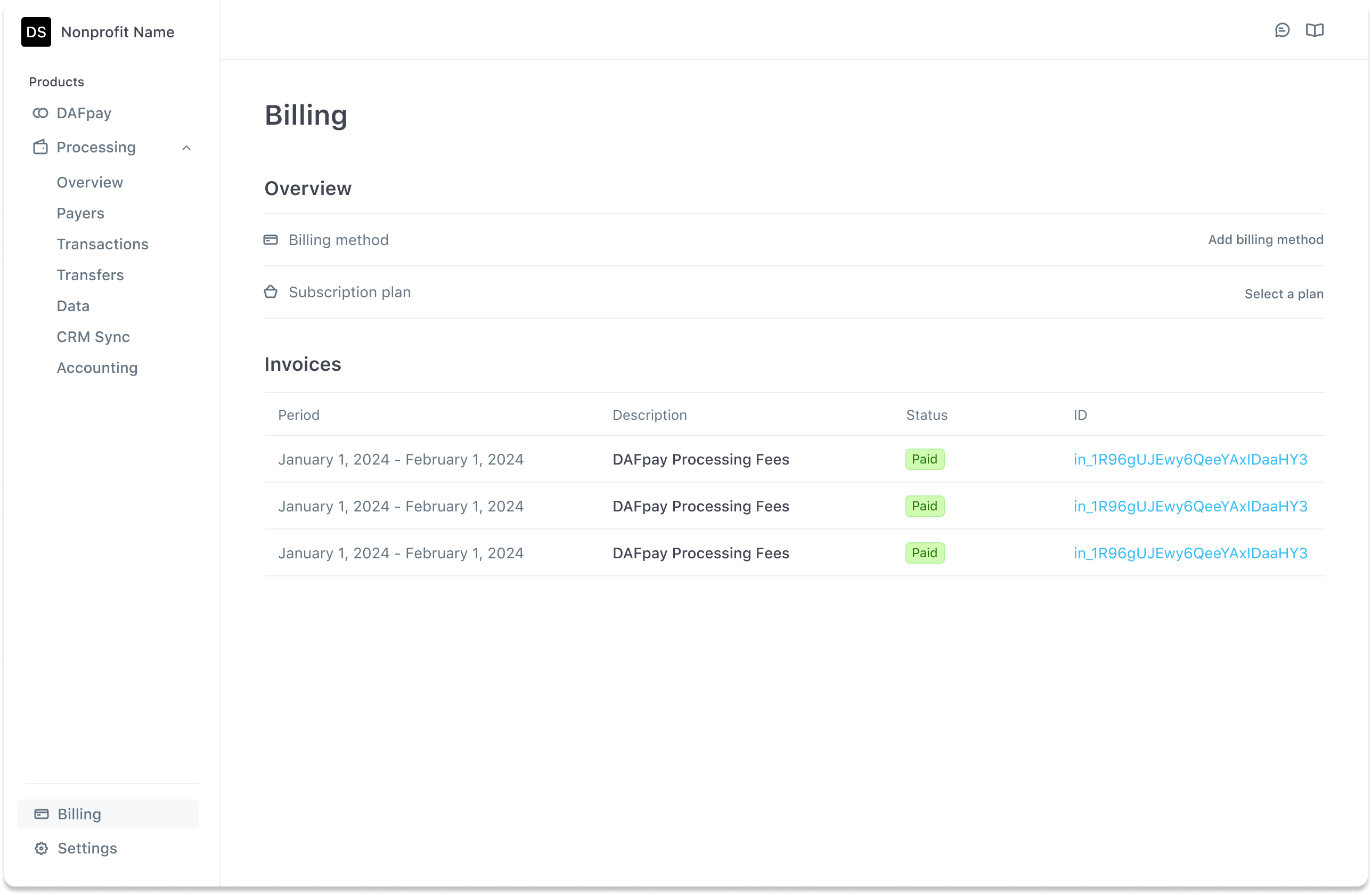
Chariot offers flexible billing for DAFpay fees. You can manage your billing method and view detailed invoices directly from your dashboard.
### 🧾 Monthly Billing for DAFpay Fees
When you add a billing method—**either a credit card or a bank account**—under the **“Billing”** tab in your Chariot dashboard, any balance your organization owes (such as DAFpay fees) will be **automatically charged at the end of each month**.
If your organization has **not yet added a billing method**, invoices will be **emailed to the Owner** on your Chariot account.
To review charges, navigate to **Billing > Invoices**, where you’ll find a detailed breakdown, including a list of associated grants.
***
### 📅 Annual Billing for Subscription Plans
If your organization has a subscription plan with Chariot:
* You will be billed **annually**, with your **subscription fee automatically charged** to your saved billing method at renewal.
* Any fees **above your plan’s volume limit** (such as excess DAFpay volume or reconciled donation fees) will be **charged monthly**.
Just like with monthly billing, if no billing method is saved in your dashboard, subscription and excess fee invoices will be emailed to the Owner on your account.
***
### 🛠 Manage or Update Your Billing
To add or update your billing method:
1. Log in to your Chariot dashboard
2. Go to the **Billing** tab
3. Add or edit your **credit card or bank account**
***
### 🔄 Plan Changes
To **upgrade or cancel your subscription**, please reach out to our team at